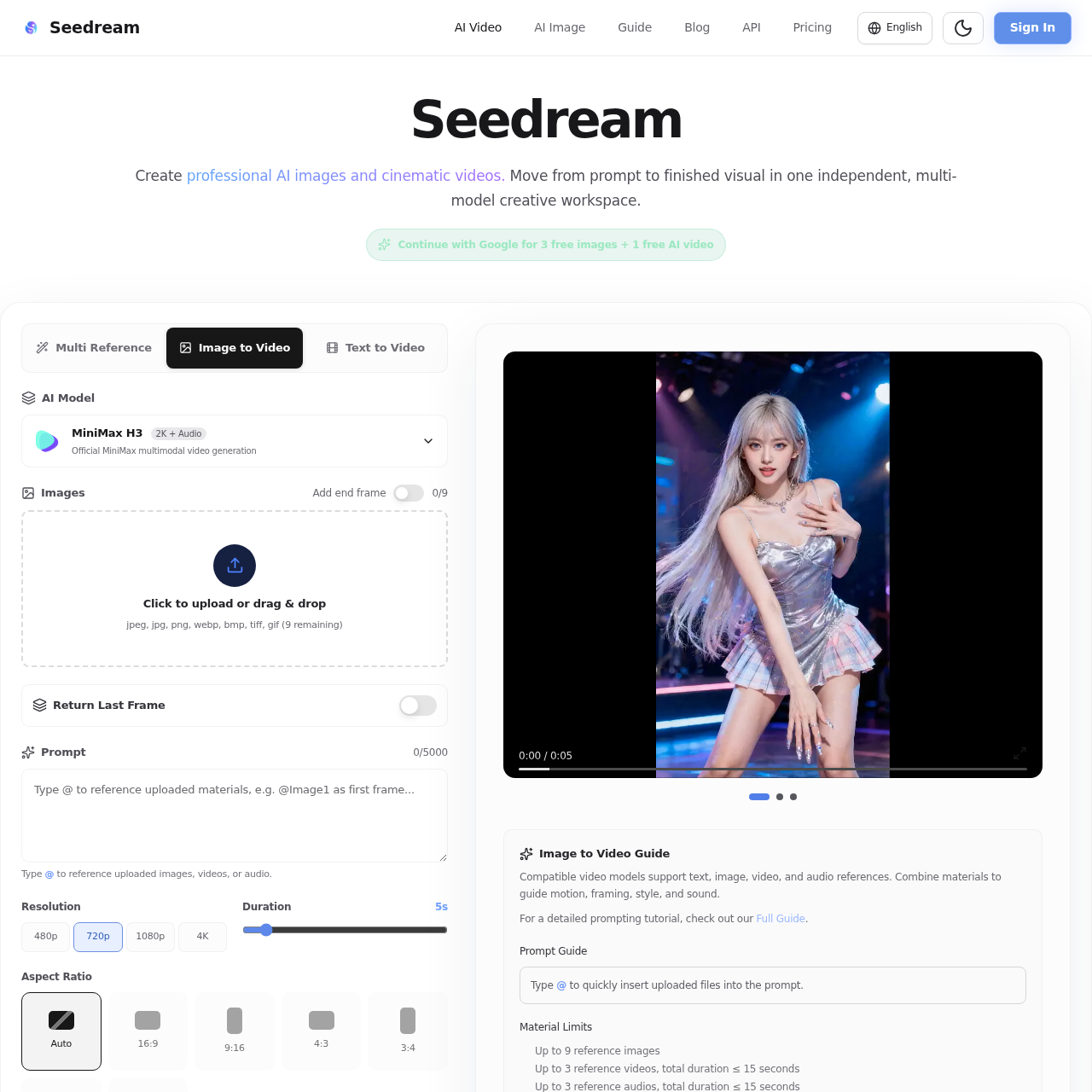
CanvasArc's overview
CanvasArc is an independent creative platform designed for creators worldwide, offering a range of AI image and video generation tools.
What You Can Do With CanvasArc
- Generate AI Images — Create professional AI images with high detail text to image and reference based editing using models like Seedream 5.0 Pro and Nano Banana Pro.
- Create Cinematic Videos — Produce cinematic videos with image, video, and audio references using models like MiniMax H3, Seedance, and Veo.
- Replicate Camera Movements — Upload a reference clip and describe which movement, pacing, transition, or choreography you want to transfer into the new video.
- Combine Multi-Modal Inputs — Combine images, reference videos, audio files, and a detailed natural language prompt in one creative workflow.
- Edit and Refine Videos — Extend, edit, or refine generated videos through targeted adjustments, with support for durations from 4 to 15 seconds and output resolutions from 480p through 4K.
- Download Watermark-Free Videos — Download generated videos without a watermark, ready for use in your creative projects.
CanvasArc's Key Features
🔥 Multi Model Support
⚡️ Reference Image Upload
✨ Batch Generation
🚀 Watermark Free Exports
CanvasArc's FAQ
What is Seedream used for?
Seedream is used to create professional AI images and cinematic videos with leading generation models in one creative studio.
Can I use Seedream to replicate camera movements from other videos?
Yes, you can upload a reference clip and describe which movement, pacing, transition, or choreography you want to transfer into the new video.
What types of inputs does the Seedream video studio support?
The video studio supports combining images, reference videos, audio files, and a detailed natural language prompt in one creative workflow.
Are there watermarks on generated videos in Seedream?
No, generated videos can be downloaded without a watermark and are ready for use in your creative projects.
How do I get started with Seedream?
You can get started by choosing a mode, uploading your references, describing your vision, selecting the output settings, and pressing Generate.