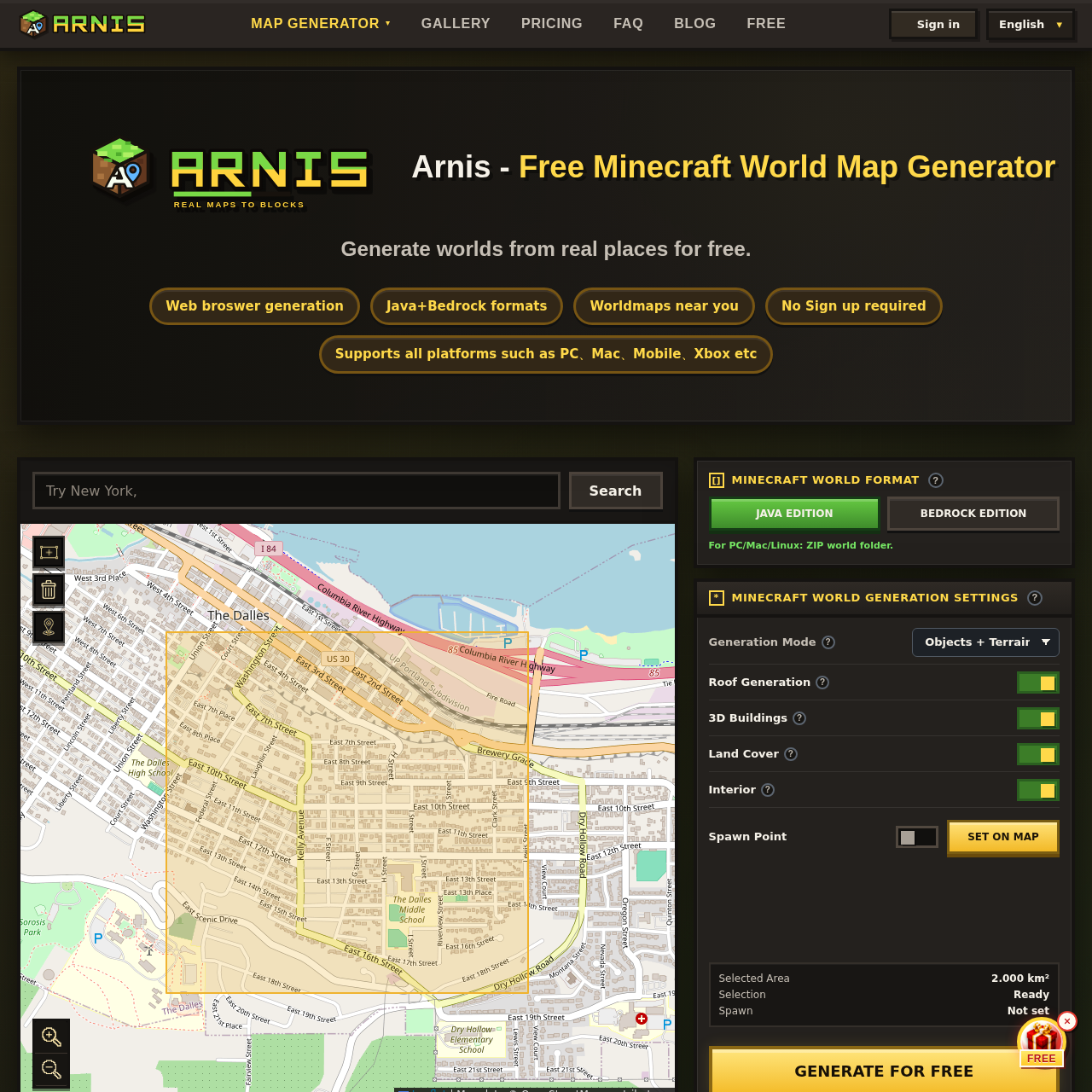
Arnis's overview
Arnis is a tool designed for Minecraft enthusiasts, including gamers and educators, to generate custom Minecraft world maps based on real-world locations.
What You Can Do With Arnis
- Generate Custom Maps — Create playable Minecraft worlds from real-world maps, including accurate terrain and buildings.
- Choose Map Settings — Select options such as terrain, roofs, 3D buildings, land cover, and interior details to customize the generated map.
- Supports Multiple Platforms — Generate maps for both Java and Bedrock editions of Minecraft, compatible with various devices including PC, Mac, mobile, and consoles.
- Easy Map Generation — Start generating maps for free, with the option to unlock and download the full map after previewing a small area.
- Flexible Pricing — Unlock maps at a launch price of $1.5 per km², with options for one-time purchases or subscription plans for ongoing projects.
- Accurate Map Data — Arnis uses OpenStreetMap data to ensure accurate and detailed map generation, with elevation built from open terrain datasets.
Arnis's Key Features
🔥 Terrain Generation
⚡️ Building Conversion
✨ Land Cover Detail
🚀 Roof Generation
Arnis's FAQ
What is Arnis and what does it do?
Arnis is a real world Minecraft map generator that converts public map data into playable Minecraft worlds, allowing users to create Minecraft worldmaps from real-world maps in their browser.
Who can benefit from using Arnis?
Arnis is useful for builders, teachers, and server owners who want to turn real places into playable Minecraft worlds, and can be used for purposes such as geography lessons or club meetings.
How much does it cost to use Arnis and is there a free trial?
Arnis offers a free 0.1 km² preview link by email after generation, and unlocking the full selected map is paid at a launch price of $1.5 per km², with options to save more with credits or a monthly plan.
What Minecraft editions are supported by Arnis?
Arnis can generate a Java Edition world package and a Bedrock .mcworld file for current Bedrock clients, mobile devices, and Minecraft Education Edition, when the API supports it.
How do I get started with generating a Minecraft world using Arnis?
To get started with Arnis, search for a city, landmark, campus, neighborhood, or address, draw a rectangle around the area, select Java or Bedrock, choose options, and start generation, then download the completed world file and import it into Minecraft.