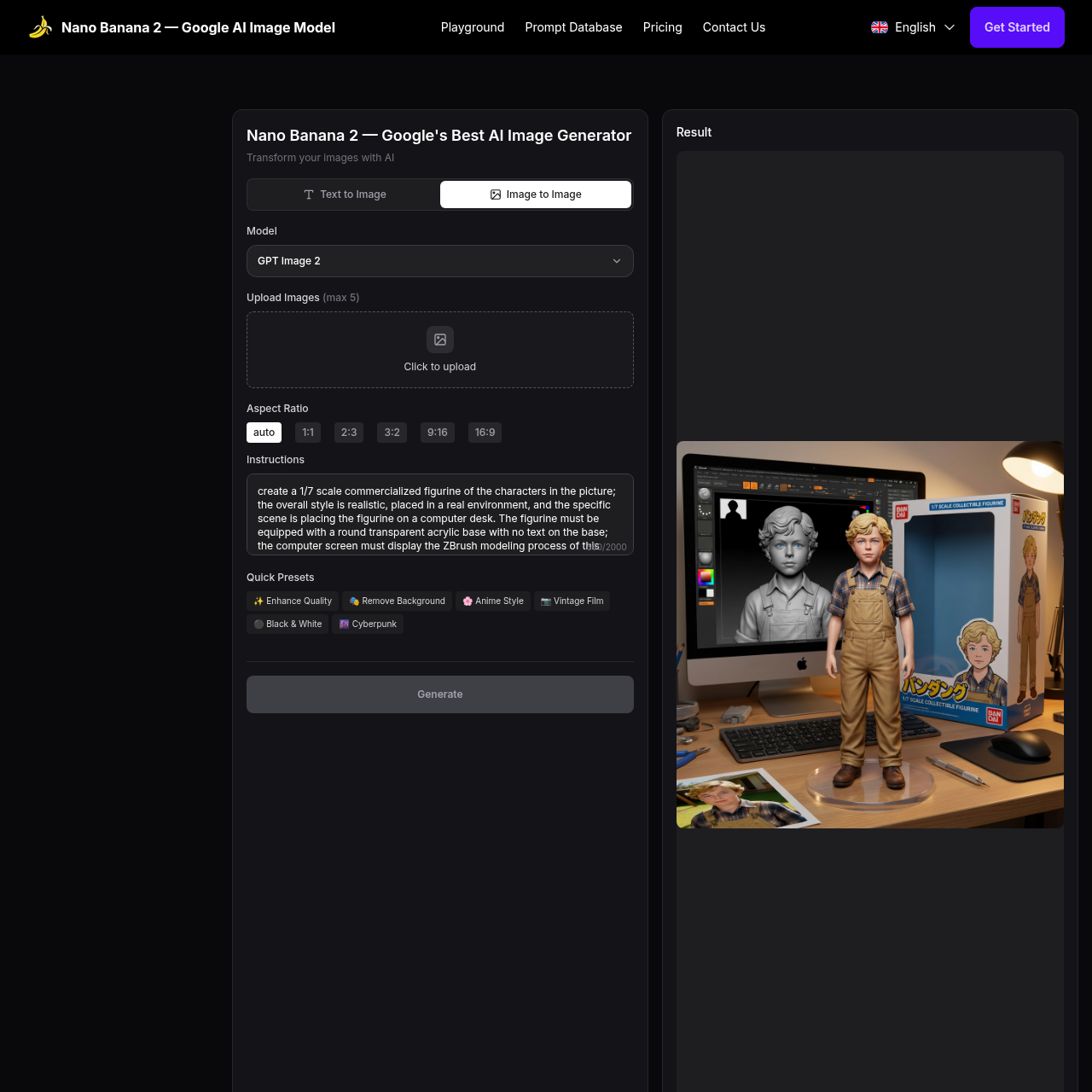
Nano Banana 2's overview
Nano Banana 2 — Google's Next Gen AI Image Model English Nano Banana 2 — Google's Best AI Image Generator Transform your images with AI Text to Image Image to Image Model GPT Image 2 Upload Images(max 5) Click to upload Aspect Ratio auto 1:1 2:3 3:2 9:16 16:9 Instructions 560/2000 Quick Presets ✨Enhance Quality🎭Remove Background🌸Anime Style📷Vintage Film⚫Black & White🌆Cyberpunk Generate Result Nano Banana 2 Use Cases Explore amazing AI image transformations powered by Nano Banana 2. Click any card to try the prompt yourself. Try This Prompt AI Photo Colorizer Colorize the photo with natural skin tones, realistic clothing and background colors; avoid oversaturation and preserve fine details. Try This Prompt AI Photo Restore Transform into a modern high quality digital portrait with vibrant updated colors, smooth realistic skin textures, and natural lighting. The outfit and background should be upgraded into a clean, modern aesthetic while preserving the authenticity of the original pose and expression. Try This Prompt AI Photo Upscaler Upscale 4x with super resolution; preserve textures and edges, reduce artifacts, keep natural sharpness and contrast without halos.
Nano Banana 2's Key Features
✨ 🔥 Natural Language Editing: Modify images using simple text instructions for rapid iteration and creative exploration.
🎯 ⚡ Context-Aware Understanding: Accurately interprets scene structure, spatial relationships, and object semantics for realistic results.
⭐️ ✨ Style and Tone Preservation: Keeps lighting, shadows, and texture consistent with original images while applying changes seamlessly.
⭐️ 🌟 Multiple Image Editing: Process multiple images simultaneously for batch editing and consistency, ideal for professional workflows and large projects.
Nano Banana 2's Use cases
🎨 Artistic Transformations Effortlessly convert photographs into various artistic styles, such as anime, vintage film, or cyberpunk, to enhance creative projects and social media content.
📸 Photo Restoration and Enhancement Restore old or damaged photos to high-quality digital portraits with vibrant colors and smooth textures, preserving the original subject's authenticity.
🛍️ Commercial Product Design Create realistic and stylized 3D figurines or packaging designs based on uploaded images, ideal for marketing materials, product prototypes, and e-commerce listings.
Nano Banana 2's FAQ
Can Nano Banana 2 handle batch editing of multiple images?
Yes, Nano Banana 2 supports multiple image editing, allowing you to process up to five images simultaneously. This feature is ideal for professional workflows and large projects where consistency across images is crucial.
How does Nano Banana 2 ensure that the generated images maintain the original style and tone?
Nano Banana 2 uses advanced AI technology that understands and preserves the original lighting, shadows, and textures of your images while applying changes. This ensures that the generated images maintain a consistent style and tone, providing professional results every time.
Can I use Nano Banana 2 to create images in specific artistic styles, such as anime or vintage?
Yes, Nano Banana 2 supports a wide range of styles, including photorealistic, artistic, anime, 3D, and logo design. You can use the platform's quick presets or enter detailed text prompts to generate images in your desired style. The advanced AI understands your creative intent and delivers consistent, high-quality results.
What happens if I'm not satisfied with the initial image generated by Nano Banana 2?
Nano Banana 2 allows you to preview results before final generation, enabling you to refine your image as needed. This feature ensures that you can make adjustments and achieve the desired outcome before committing to download. Additionally, the platform's natural language editing capabilities make it easy to iterate and explore creative ideas rapidly.
Are there any limitations to the aspect ratios I can use with Nano Banana 2?
Nano Banana 2 offers several aspect ratio options, including auto, 1:1, 2:3, 3:2, 9:16, and 16:9. These options cater to various use cases, such as social media posts, prints, or digital displays. However, if you require a specific aspect ratio not listed, you may need to crop or adjust the image manually after generation.